All modules 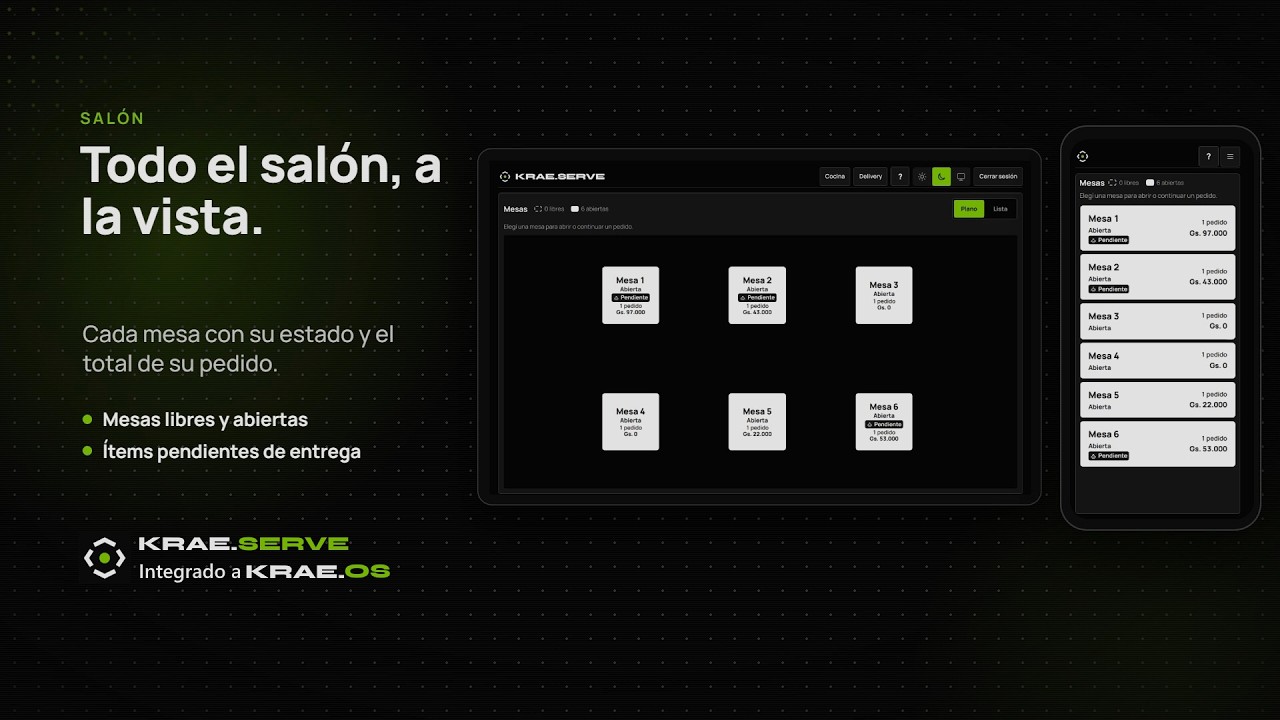
KRAE.SERVE
Tables, kitchen orders, and delivery
Krae.Serve connects service at your food business with Krae.OS. Organize dining areas, manage orders, and track kitchen orders through delivery without entering the information again for invoicing.
Krae.Serve is available as an add-on module for Krae.OS.
See Krae.Serve in action
A clear view of your operation
- A floor plan for every dining area
- Configure multiple dining areas and customize the position of tables and counters. Organize the main dining room, patio, and other spaces at your venue.
- Every table's status at a glance
- Identify available and occupied tables, and see which have items awaiting delivery to support dining room service.
- One table. Multiple orders.
- Open multiple orders at the same table when guests pay separately. Keep each order identified within that table's service.
- Each server has a PIN
- Servers identify themselves with a six-digit PIN and orders are recorded under their name, without entering a username and password for each service.
- The kitchen tracks every order
- View pending and dispatched orders, elapsed times, and delays. Track delivery by item to see what still needs preparation or delivery.
- Delivery within your operation
- Manage delivery orders and track them in the kitchen alongside dining room orders, with each order's channel identified.
The order is already in Krae.OS.
Orders created in Krae.Serve go directly into Krae.OS, ready for invoicing. Once invoicing is completed for the table's orders, the table closes and becomes available for the next guests.
- TABLE OR DELIVERY
- ORDER
- KITCHEN ORDER
- INVOICE IN KRAE.OS
- AVAILABLE TABLE
Find the solution for your venue
Explore Food service businessesConnect dining room, kitchen, and business management.
Show us how your venue operates and schedule a presentation of Krae.Serve and Krae.OS.
Schedule a presentation